Feature Dock
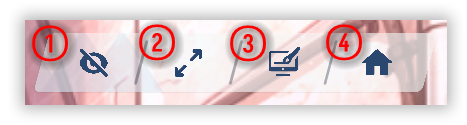
Top-right controls—HUD, fullscreen, wallpaper, menu.
| # | What |
|---|---|
| ① | HUD — show or hide on-screen UI. |
| ② | Fullscreen — borderless immersion (or borderless confusion). |
| ③ | Wallpaper mode — send the window to the monitor you’re on; see Wallpaper mode. |
| ④ | Main menu — opens the main menu. |